
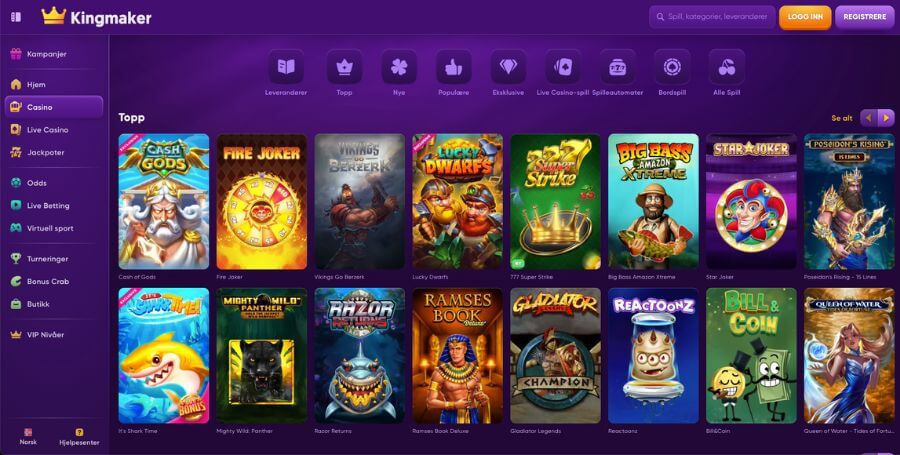
For Canadian players who enjoy gaming on the go, the efficiency and data efficiency of a casino app can determine the overall feel. The Kingmaker Casino app is designed to offer seamless gaming while holding data usage under check, but understanding exactly how it consumes resources helps users maximize every gaming session. This article analyzes the app’s architecture, device compatibility, installation steps, data consumption behaviors, speed improvements, and special features that distinguish it from the desktop site. Whether connecting over a dependable Wi-Fi network or employing cellular data, knowing the app’s data consumption and performance benchmarks lets players prevent surprise fees and frustrating lag. From installation requirements to real-world data usage figures, every aspect is included to ensure Canadian users can make informed decisions. By the end, readers will have a thorough understanding of what to expect in terms of performance and how to tailor their settings for an optimal mobile casino adventure at Kingmaker Casino.
Exploring the Kingmaker Casino App Architecture
The core of any mobile casino experience depends on its fundamental architecture, and the Kingmaker Casino app employs a hybrid approach that merges native performance with dynamic content delivery. The core interface is built using native components for both iOS and Android, which provides fast navigation, smooth animations, and immediate response to touch inputs. At the same time, the game library and live dealer streams are served through an optimized web view layer that loads content directly from secure servers. This design minimizes the initial download size while still delivering a fluid, app-like feel. By handling the heavy lifting on the server side and caching frequently used assets on the device, the app minimizes redundant data transfers and speeds up subsequent launches.
A key advantage of this architecture is how it manages resource allocation. The native shell manages memory efficiently, avoiding the app from becoming sluggish even during extended play sessions. Static elements such as lobby icons, menu structures, and game thumbnails are stored locally after the first load, so they do not need to be re-downloaded every time the app opens. When a player launches a slot title, only the game-specific logic and fresh random number generator seeds are fetched, maintaining data overhead low. The hybrid model also permits the operator to push updates to game content without requiring a full app update through the App Store or Google Play, which means players always access the latest versions with minimal disruption. For Canadian users, this results in a responsive platform that feels cohesive and wastes neither time nor bandwidth.
In-App Performance Indicators and Velocity Optimization
Gaming Startup and Speed
Performance is a key feature of a highly-tuned casino app, and Kingmaker Casino lays a heavy emphasis on cutting wait times. From a cold start, the app typically gets to the lobby screen in under three seconds on a modern device linked to a decent network. This fast launch is attained by preloading the core navigation framework and postponing the loading of non-essential assets until they are called upon. Once inside the lobby, browsing through game categories feels instantaneous because thumbnail images are buffered and only new or updated titles initiate a fresh download. Tapping on a slot game starts a load sequence that usually finishes within three to five seconds on a 4G LTE connection, and even faster on Wi-Fi. Table games load with similar speed, as their graphical assets are compact and optimized for mobile screens.
Responsiveness during gameplay is equally important. The app’s touch handling is tuned to recognize taps and swipes with minimal latency, ensuring that betting or spinning a reel feels instant. This is especially evident in rapid games like live dealer speed roulette, where every second counts. The development team has minimized the use of heavy animations that can cause frame drops on older hardware, instead opting for smooth, lightweight transitions. Canadian players using devices that are several years old can still anticipate a fluid experience, though they may experience slightly longer load times. To preserve peak responsiveness, the app automatically empties its temporary cache when storage space runs low, stopping the kind of bloat that can gradually impair performance over weeks of heavy use.
Real-Time Casino Streaming Performance
Live dealer games pose unique performance challenges because they require a stable, low-latency video stream. The Kingmaker Casino app tackles this by connecting to content delivery networks with points of presence that minimize the distance data must travel to reach Canadian users. The result is a stream that typically prepares for less than two seconds when a table is opened and sustains consistent quality with minimal stuttering, even during peak hours. The adaptive bitrate technology constantly checks the connection and seamlessly transitions between quality tiers to avoid interruptions. On a strong Wi-Fi signal, the stream operates at high definition, while on a weaker 4G connection, it adjusts down to preserve continuity without manual intervention.

The app also divides the video feed from the betting interface, so even if the stream momentarily weakens, players can still place bets and see their balance update in real time. Audio is synchronized tightly with the video, and the chat function works on a separate lightweight data channel that does not compete with the stream. For players who experience persistent buffering, a quick check of the in-app connection quality indicator can help diagnose whether the issue originates from the local network. In most cases, switching from a congested 2.4 GHz Wi-Fi band to a 5 GHz network or moving closer to the router fixes any performance hiccups. The overall streaming architecture is designed to deliver a casino-floor feel without demanding an excessive data plan.
Safety and Data Protection on the Application
Coding and Data Transmission
Safety is a fundamental pillar of each online casino app, and Kingmaker Casino uses top-tier measures to secure player data from the instant it exits the device. All interaction between the app and the operator’s servers is secured with Transport Layer Security (TLS) 1.3, the equivalent encryption protocol used by major financial institutions. This guarantees that login credentials, payment details, and personal information are scrambled into unreadable ciphertext during transmission, making them worthless to any third party attempting to intercept the data. The app also employs certificate pinning, a technique that prevents man-in-the-middle attacks by confirming that the server’s digital certificate matches with a known, trusted copy installed in the app itself.
On the device, sensitive data is handled with equal care. The app does not store full payment card numbers or banking passwords locally. Instead, it uses tokenization, replacing sensitive details with a unique identifier that can only be resolved by the payment processor. Any temporary data cached for performance reasons, such as game state or session tokens, is stored in an encrypted container that the operating system isolates from other applications. For Canadian players, this means that even if a device is lost or compromised, the exposure of casino-related information is extremely limited. The app also adheres to privacy regulations that govern how personal data is collected and processed, providing transparency through an easily accessible privacy policy within the settings menu.
Account Safety Features
Beyond encryption, the app offers several tools that give players direct control over their account security. Two-factor authentication (2FA) can be enabled, requiring a time-based one-time code from an authenticator app in addition to the password and biometric check. This makes unauthorized access nearly impossible, even if a password is stolen. The session management feature allows users to view all active logins and remotely terminate any that appear suspicious. A built-in inactivity timer can be set to automatically log out after a chosen period of idleness, which is especially useful for those who play in public spaces or share devices.
Responsible gambling tools integrated into the app also support a safer environment. Deposit caps, loss limits, and session time reminders can be set directly from the mobile interface, and any changes are applied in real time. The self-exclusion option is easily found and easy to activate, demonstrating the operator’s commitment to player well-being. All these security and safety features work in the background without slowing down the app, finding a middle ground between robust protection and a frictionless user experience that Canadian players can trust.
Essential Aspects That Improve Mobile Gameplay
The Kingmaker Casino app extends far beyond a simple port of the desktop website, featuring a range of features that take advantage of smartphone capabilities for a more fluid and more engaging experience. One of the most appreciated additions is biometric authentication, which allows players to log in using a fingerprint or facial recognition instead of typing a password each time. This not only speeds things up but also provides an extra layer of security. The app also supports push notifications, which can be tailored to alert users about new game releases, exclusive bonuses, or the status of pending withdrawals. These notifications are permission-based and can be adjusted in the settings so that players obtain only the information they deem important.
The interface has been completely rethought for the mobile form factor. A fixed bottom navigation bar provides one-tap access to the main area, search, promotions, and the teller, maintaining essential functions within thumb reach. The game search tool offers filters for studio, volatility, and features like bonus buy, helping players quickly discover titles that fit their preferences. The cashier itself is tailored for mobile, with saved payment methods and quick deposit options that enable a player to credit their account in seconds using Interac, credit cards, or e-wallets widely used in Canada. The following list highlights additional mobile-specific features that differentiate the app apart:
- Facial login for rapid, secure access without password entry.
- Customizable push notifications for promotions, game launches, and account activity.
- One-tap deposit and withdrawal using stored payment methods.
- Portrait and landscape mode support that adapts to the player’s grip.
- Disconnected access to game rules and help articles after initial download.
Another refined but influential feature is the app’s ability to recall where a player ended. If a session is disrupted, reopening the app restores the last game lobby or even the specific game screen, as long as the session token is still valid. This continuity reduces friction and makes mobile play feel seamless. Paired with a dark mode option that reduces eye strain during nighttime sessions, the feature set highlights a clear focus on the real-world needs of Canadian players who want a casino experience that integrates with their daily routine rather than expecting their full attention.
Download and Setup Guide for Canadian Players
Configuration on iOS Devices
Obtaining the Kingmaker Casino app onto an Apple phone or iPad is a simple process that follows Apple’s standard App Store procedures. Users simply open the App Store, tap the search tab, and type “Kingmaker Casino” into the search field. The authorized app, published under the operator’s verified developer account, shows up at the top of the results. Pressing the download icon starts the installation, and after authenticating with Face ID, Touch ID, or an Apple ID password, the app icon is displayed on the home screen within moments. Because the app is distributed through the App Store, Apple’s built-in security checks verify that the downloaded package has not been tampered with. There is no cost to download the app, and it does not require any special configuration beyond agreeing to the standard permissions for notifications and, optionally, biometric login.
After installation, the app will ask the user to authenticate with an active Kingmaker Casino account or to establish a new one straight from the mobile interface. The registration process is tailored for smaller screens, with clear form fields and a step-by-step flow that respects Canadian data entry conventions. Members who already have an account on the desktop site can use the same credentials, and their balance, bonuses, and game history sync instantly. The iOS app also supports Sign in with Apple for those who prefer a streamlined authentication method. After the first login, the app may fetch a small set of core assets, which typically takes less than a minute on a standard broadband or 4G connection. From that point forward, the app is ready for real-money play or demo mode exploration.
Setup on Android Devices
Android users can often find the Kingmaker Casino app directly on the Google Play Store, where it is listed under the casino’s official publisher name. The installation process reflects that of any other Play Store app: search, tap “Install,” and accept the required permissions. In regions where the Play Store listing is not available due to Google’s gambling app policies, the operator provides a verified APK file directly on its mobile site. Sideloading the APK is reliable when done exclusively through the official Kingmaker Casino website. The steps for sideloading are simple but require a small adjustment to the device’s security settings.
To sideload the app, a player must first access the official Kingmaker Casino site using the mobile browser and head to the app download page. After tapping the Android download button, the device may present a warning about installing apps from unknown sources. The user needs to open the device’s Settings, go to “Apps & notifications” or “Security,” and activate “Install unknown apps” for the browser being used. Once that permission is granted, the downloaded APK file can be opened, and the installation moves forward with a few taps. The following list outlines the key sideloading steps:
- Open the official Kingmaker Casino website on the cell browser.
- Find the Android app download link and tap to download the APK file.
- If prompted, allow installations from the browser in the device’s security settings.
- Open the downloaded APK file and verify the installation.
- Start the app, log in, and enable any final asset downloads to complete.
After installation, it is advised to disable the “Install unknown apps” permission for the browser again to maintain device security. The Android app will automatically check for updates on launch, and when a new version is available, it leads the user through a quick update process that preserves all account data and preferences.
Application Data Consumption and Bandwidth Efficiency
Data transfer is a key issue for Canadian players who employ mobile plans with limited data limits or who connect through less speedy connections. The Kingmaker Casino app is built with data economy in mind, employing several techniques to keep data transfer as minimal as possible without compromising game quality. Static interface elements, like the lobby layout, game category icons, and menu graphics, are cached locally after the first session. This means that subsequent launches consume only a few megabytes to look for updates and refresh account balances, rather than re-downloading the entire interface. For slot games, the app typically loads the game engine and initial set of symbols once, then only transmits spin results and small state changes, maintaining per-spin data usage in the vicinity of a few kilobytes.
Assorted game types inherently require different amounts of data. A one-hour session of standard slot play usually uses between 15 and 30 MB, while table games such as blackjack or roulette fit into a similar range because they rely on efficient data packets rather than continuous video. Live dealer games, which transmit real-time video from a studio, are the most data-intensive category. On a stable connection, the app’s adaptive bitrate streaming adjusts video quality based on available bandwidth, normally consuming between 150 and 300 MB per hour. Players who desire to reduce live casino data usage can often choose a lower video quality option within the in-game settings, which can reduce consumption by up to 40 percent. The app also offers a data usage indicator in its settings menu, permitting users to track consumption over a chosen period. For the most accurate real-time figures, players can compare this with their device’s built-in cellular data tracker.
Compatible Devices and OS Requirements
The Kingmaker Casino app is engineered to function on a wide variety of smartphones and tablets, including the devices frequently utilized across Canada. For Apple hardware, the app needs iOS 14.0 or later, which means it is supported with iPhone 6s and newer models, as well as iPad Air 2 and newer iterations. On the Android side, the minimum operating system version is typically Android 8.0 (Oreo), securing support for devices released from 2017 onward. While the app can install on older hardware that fulfills these thresholds, the best experience is obtained on devices with at least 3 GB of RAM and a mid-range processor from the last four years, such as the Apple A12 Bionic or a Qualcomm Snapdragon 700 series. These specifications enable the app to handle live dealer video streams and complex slot animations without frame drops.
Screen size and resolution also play a role in how the interface is presented. The app automatically conforms to different aspect ratios, from compact phones to larger tablets, using responsive layout techniques that move buttons and menus for comfortable one-handed use or landscape play. Canadian players who prefer gaming on an iPad or an Android tablet will notice that the extra screen real estate boosts table games and live casino lobbies, while phone users benefit from a streamlined, thumb-friendly design. It is always recommended to consult the official Kingmaker Casino download page for the most current compatibility details, as requirements may shift with major app updates. Ensuring the device’s operating system updated to the latest supported version also assists sustain peak performance and security.
Differences Between the App and the Desktop Website
While the desktop website provides a full-featured casino experience on a large screen, the Kingmaker Casino app is not simply a compact version. It is a distinct product tailored for the way people use their phones. The most obvious difference is the navigation model: the app uses a bottom tab bar and gesture-based controls that make one-handed operation effortless, whereas the desktop site counts on a traditional top menu and hover states that require a mouse. This mobile-first design cuts the number of taps needed to reach any section, from the game lobby to the cashier. Additionally, the app can send push notifications about time-sensitive promotions or withdrawal approvals, a capability the desktop site cannot replicate without the user actively checking their email.
Performance is another area where the app has an edge. Because the app caches interface elements and game assets locally, it operates faster and spends less data over repeated visits compared to loading the full website each time in a mobile browser. The app also supports biometric login, which is more protected and quicker than typing a password on a small keyboard. On the other hand, the desktop site may present a wider view of live casino tables and more detailed game statistics on a single screen, which some players favor for complex table games. The game libraries are largely similar, but certain titles may be deployed first on the app if they are built with HTML5 mobile optimization in mind. Ultimately, the app delivers a tighter, more personal experience, while the desktop site remains the option for extended sessions where a larger display and multiple tabs are advantageous.
Controlling App Storage and Updates
The first installation of the Kingmaker Casino app occupies a small amount of storage, generally between 80 MB and 150 MB according to the operating system and the version downloaded. This footprint grows as the app caches game assets and stores temporary data to speed up future sessions. Over several weeks of regular play, the total storage used can grow to 500 MB or more, particularly if a player frequently accesses a wide variety of live dealer streams and slot titles. The app includes a built-in cache management tool that allows users to clear temporary files without affecting login credentials or account settings. Accessing this option from the settings menu and performing a cache clear every few weeks can recover significant space and resolve any minor performance quirks that arise from corrupted temporary data.
Updates are delivered through the official app stores or, for sideloaded Android versions, through an in-app prompt that directs the user to download the latest APK from the official website. The frequency of updates changes, but players can generally expect a new version every few weeks that includes performance improvements, security patches, and occasionally new features. These updates are designed to be incremental, so they rarely exceed 30 MB in size. Enabling automatic updates on iOS or Android ensures that the app always runs the most secure and efficient build without manual intervention. For those who manage storage carefully, the app also allows the removal of individual game data packs that are no longer needed, maintaining the installation lean and responsive.
For Canadian players wanting a mobile casino experience that respects both their time and their data plan, the Kingmaker Casino app offers a carefully engineered solution. Its hybrid architecture, broad device support, and thoughtful performance optimizations combine to deliver fast load times, manageable data consumption, and a feature set that genuinely improves on the desktop experience. By understanding how the app uses resources and applying the simple management techniques outlined above, users can maintain a smooth, secure, and cost-effective gaming environment. The next step is to visit the official Kingmaker Casino website on a mobile device, use the straightforward installation guide, and explore a platform built to perform reliably wherever life takes you.